























Yocan Veke Smart Herb Grinder Manual

Charging the Yocan Veke Herb Grinder
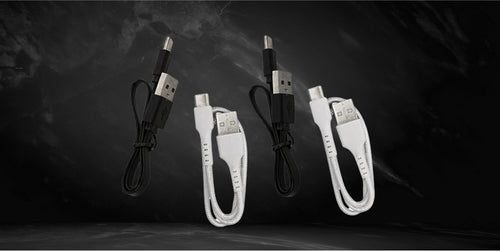
- Take the USB type-C charging cable included in the box.
- Connect it to the Yocan Veke Herb Grinder.
- Get a compatible wall adapter.
- Plug the wall adapter to a wall socket.
Note: The charging port is located at the front part of the Yocan Veke Herb Grinder. If you can’t find a wall adapter, you can connect it to your computer. Avoid charging the Yocan Veke Herb Grinder with a powerbank with an output higher than five volts. Do not charge in your car or overcharge the battery, as this can result in battery damage and frying of the internal system.
Turning the Yocan Veke Herb Grinder on or off
- Make sure to fully charge the Yocan Veke Herb Grinder.
- Locate the power button and press it five times quickly to power it on.
- Pressing the same power button five more times after it has been powered on will result in it being turned off.
Note: The power button is located on the Yocan Veke Herb Grinder’s front part. It is the circular button just right above the LED light and charging port.
Activating the different modes of the Yocan Veke Herb Grinder
- Make sure that the Yocan Veke Herb Grinder is fully charged.
- Press the power button five times to power it on.
- You can press and hold the power button to activate the Manual Mode.
- Conversely, you can press the power button two times to switch to Auto Mode.
Note: Manual Mode means that you activate the grinder motor by pressing and holding the power button. The motor will stop running as soon as you lift young finger from the button. On the other hand, AutoMode means that the motor will continue to run until the herbs are cut into fine portions and it will stop automatically.
Loading and unloading the Yocan Veke Herb Grinder
- Make sure that the Yocan Veke Herb Grinder is powered off, you can press the button five times to make sure that the grinder is turned off.
- Give the see-through lid a pull and get access to the grinding chamber.
- Load a small amount of herbs.
- Replace the see-through lid and begin to power the Yocan Veke Herb Grinder on.
- When the herbs are ground, give the electric grinder a soft tap.
- Pull the bottom compartment off the base.
- Collect the ground plant matter, you may transfer them to a container ordirectly load them to your vaporizer or pipe.
Care and maintenance for the Yocan Veke Herb Grinder
- Make sure that the Yocan Veke Herb Grinder is powered off.
- Take the included cleaning brush and proceed by cleaning the zinc alloy blades.
- You may use the same brush to clean the inside of the Yocan Veke Herb Grinder.
- Get dry cleaning wipes and wipe the edges of the lid as residual material may build up here overtime.
- Do the same for the magnetic herb catcher as the pollen from your herbs will cause the edges to develop residue overtime.